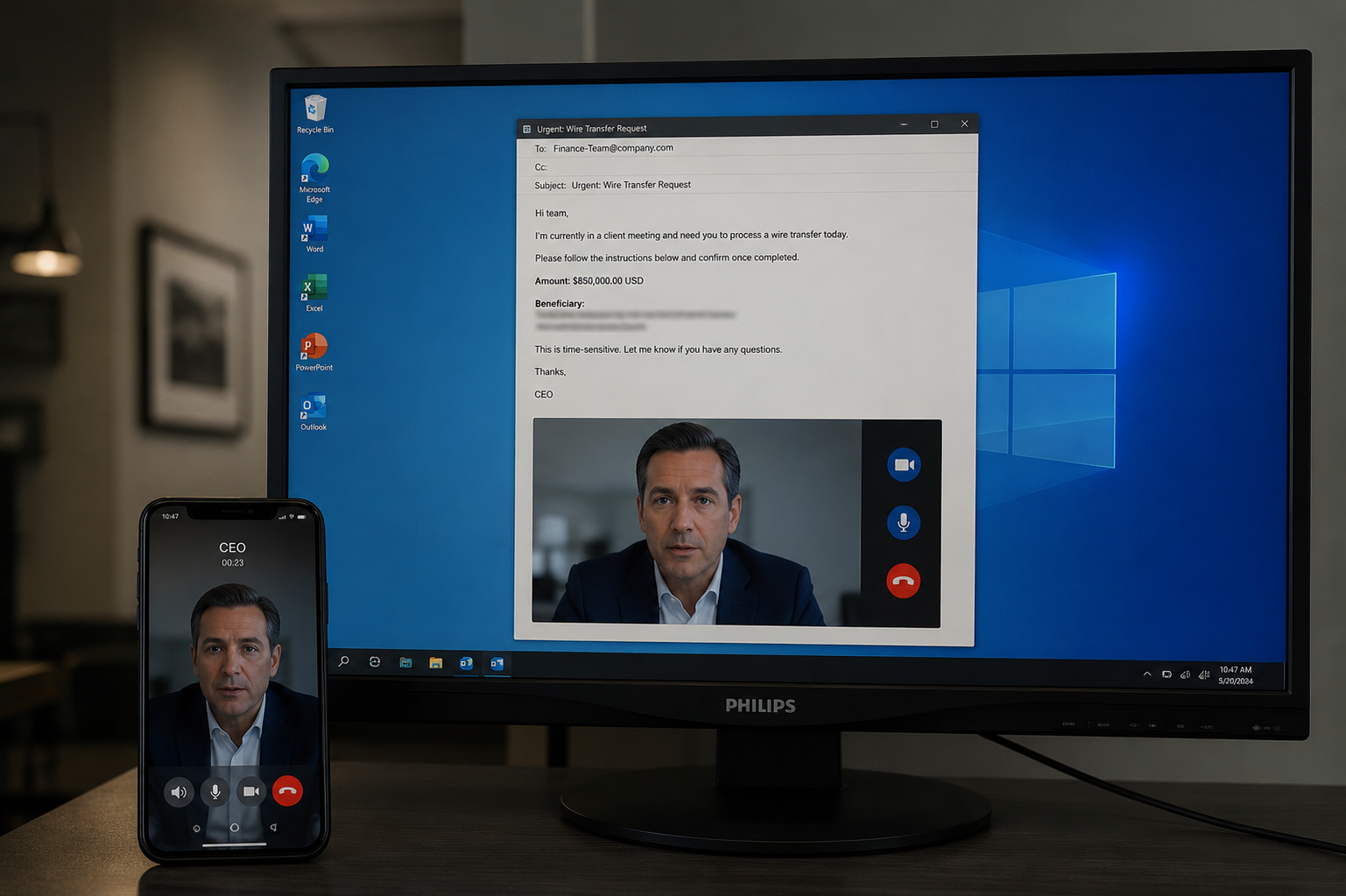

Phishing and social engineering attacks remain the most common entry point for cyber attacks. These attacks exploit human psychology rather than technical vulnerabilities, making user awareness critical for organizational security.
Common Attack Types
1. Email Phishing
Mass campaigns impersonating trusted brands or colleagues to trick users into revealing credentials, clicking malicious links, or downloading malware.
2. Spear Phishing
Targeted attacks using personalized information gathered from social media, data breaches, or public sources to appear legitimate and increase success rates.
3. Business Email Compromise (BEC)
Attacks impersonating executives or trusted business partners to authorize fraudulent wire transfers or disclose sensitive information.
4. Vishing (Voice Phishing)
Phone-based social engineering where attackers impersonate IT support, banks, or government agencies to extract information or credentials.
5. Smishing (SMS Phishing)
Text message attacks containing malicious links or phone numbers designed to steal credentials or install malware on mobile devices.
Warning Signs
- Urgent language creating artificial time pressure.
- Requests for credentials, payments, or sensitive data via unusual channels.
- Mismatched or suspicious sender addresses.
- Generic greetings instead of personalized salutations.
- Poor grammar or spelling in supposedly professional communications.
- Unusual requests from familiar contacts.
- Links with misspelled domains or suspicious URLs.
Technical Controls
1. Email Security Gateway
Deploy advanced email filtering with sandboxing for attachments and link analysis. Implement DMARC, SPF, and DKIM to prevent sender spoofing.
2. Multi-Factor Authentication
Require MFA for all user accounts to mitigate credential theft from successful phishing attacks. Use phishing-resistant authentication methods like WebAuthn where possible.
3. Web Filtering
Block access to known phishing sites and newly registered domains. Implement DNS filtering to prevent connections to malicious infrastructure.
4. Browser Security
Configure browsers to warn about suspicious sites. Implement browser isolation for high-risk browsing activities.
5. Endpoint Detection
Deploy EDR solutions to detect and block malware delivered through phishing campaigns. Monitor for suspicious process behavior.
User Awareness Training
1. Regular Security Training
Conduct mandatory security awareness training covering current phishing tactics and real-world examples. Update content regularly to reflect evolving threats.
2. Simulated Phishing Campaigns
Run regular phishing simulations to test user awareness and identify training gaps. Provide immediate education when users fail simulations.
3. Clear Reporting Procedures
Establish simple, accessible methods for users to report suspicious emails. Reward reporting rather than punishing mistakes.
4. Communication Protocols
Define and communicate standard procedures for sensitive requests. Require verification through alternative channels for unusual requests.
5. Executive Protection
Provide enhanced training for executives and high-value targets. Limit public exposure of organizational hierarchy and contact information.
Incident Response
- Establish procedures for reported phishing incidents.
- Quickly assess scope of compromise when credentials are entered.
- Force password resets for affected accounts.
- Analyze attack patterns to improve defenses.
- Share indicators with security community.
Metrics and Improvement
- Track phishing simulation failure rates.
- Monitor time between phishing delivery and user report.
- Measure reduction in successful compromises over time.
- Analyze which tactics are most effective against your users.
- Continuously adapt training based on results.
Conclusion
Protecting against phishing requires combining technical controls with comprehensive user education. Regular training, realistic simulations, and positive reinforcement for security-conscious behavior create a robust human firewall.